
Tattoo AI - Tattoo Design
HubXArt & Design
3.92.50K Reviews
- Version
- 2.0.4
- Installs
- 5.00M
- Age Rating
- Teen
Screenshots
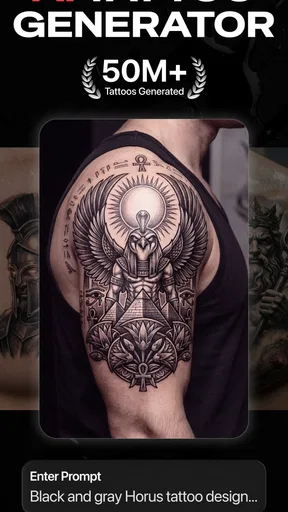
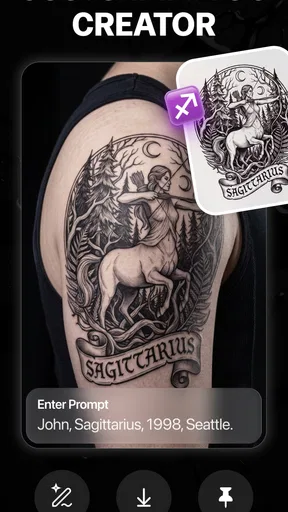
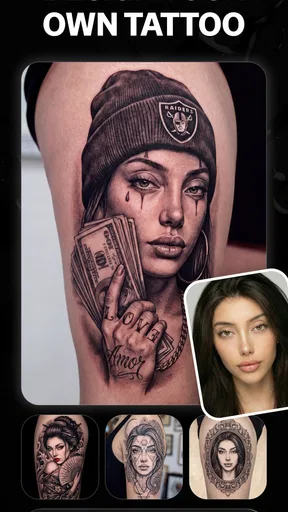
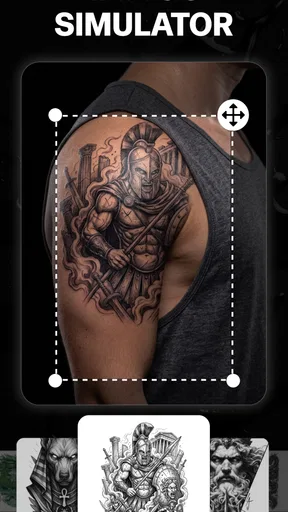
Our Review of Tattoo AI - Tattoo Design
 Analysis by Appyee
Hey there, tattoo enthusiasts! If you’ve ever found yourself dreaming of the perfect ink but can't quite nail down the design, Tattoo AI - Tattoo Design might just be your new best friend. I decided to give this app a whirl and, let me tell you, it’s a game-changer for anyone looking to get creative with their body art.
I’d use it at the very beginning of the tattoo process, when I have a subject in mind but not yet a clear composition. That distinction matters: an AI sketch can help turn “something connected to my family” into a visual direction, but it is not the same as an artist’s finished, tattoo-ready drawing. I treat the result as a conversation starter rather than a design I should take straight to a studio.
Starting with an idea, not a finished brief
The app is an art and design tool from HubX, built around generating tattoo concepts. Its store summary describes an AI tattoo generator and stencil maker, and the short version is that it gives you a place to explore ideas before committing to permanent ink. It is free to download, carries a Teen age rating, and has an average rating of 4.5 from around 267,000 ratings. More than five million installs suggest it has found a broad audience, though popularity alone can’t tell you whether a particular design suits your taste.
For a useful first prompt, I’d include the subject, the feeling I want, and one or two visual constraints. For example, “a small botanical motif, fine-line feel, mostly black, with room to simplify” gives a clearer starting point than “flower tattoo.” I’d avoid piling on a long list of unrelated references: if the output misses the mark, changing one element at a time makes it easier to see which part of the idea is helping or getting in the way.
That workflow is especially handy in an ordinary situation: I might be waiting for a friend and sketching out a tattoo inspired by a place we travelled together. Rather than scrolling through broad image searches and trying to explain why one reference feels right, I can use the app to explore a few interpretations, save the direction I like, and bring that conversation to a tattoo artist later.
Exploring the Features
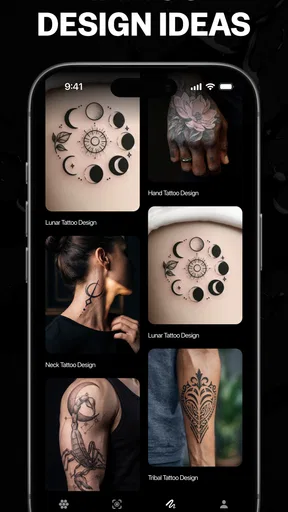
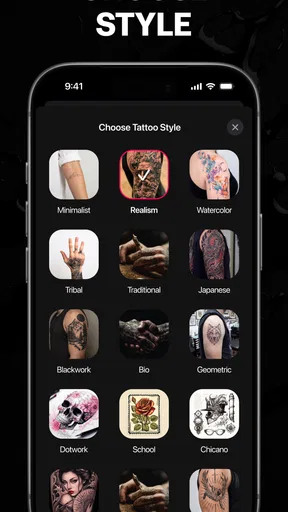
First off, let’s talk about the app’s design. It’s sleek, intuitive, and super user-friendly. Whether you’re a tattoo newbie or a seasoned canvas, navigating through the features is a breeze. The app offers a wide array of design categories, from traditional to tribal, and everything in between. I had fun browsing through endless possibilities.
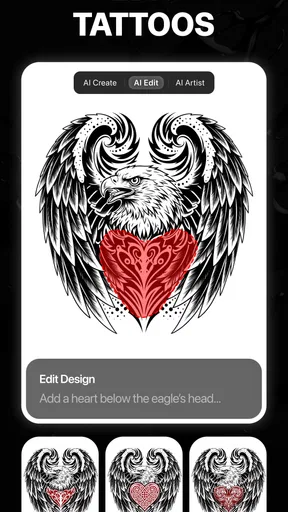
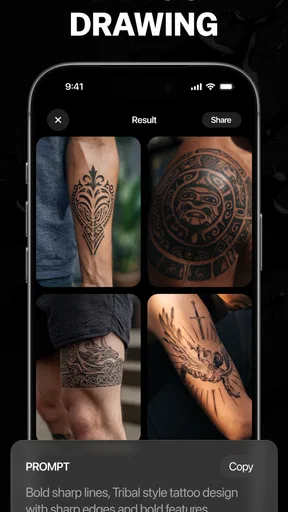
The standout feature for me was the AI-powered design generator. You simply input your ideas, styles, and preferences, and boom! The app churns out customized designs that feel surprisingly personal. It's like having a tattoo artist right in your pocket, minus the needle, of course!
Making the generation step work for you
I get the most value by treating each generated image as a draft. If a concept is close but not quite right, I’d refine the prompt around one specific issue—such as the mood, level of detail, or balance between the main subject and decoration—rather than asking for a wholly different design. This is a practical way to compare directions without losing the element that initially appealed to me.
A useful trade-off is that rapid idea generation can create more choices than it resolves. A striking image on a screen may have tiny details, awkward spacing, or lines that would need simplifying for a real tattoo. I’d zoom in, look for areas that could blur together at the size I have in mind, and be ready to ask an artist to redraw or adapt the concept. The app is strongest at helping me explore; it should not replace a professional’s judgement about how a design will translate onto skin.
Personalizing Your Experience
One thing that really sets Tattoo AI - Tattoo Design apart is the personalization options. You can tweak designs, play with colors, and adjust sizes to fit your vision perfectly. I spent a good chunk of time experimenting with different styles, and it was a blast. Plus, the app lets you see how the tattoo would look on your skin using AR technology, which is not only cool but also super helpful for visualizing your next piece.
I’d use the skin preview as a placement aid, not as a promise of the final result. It can help me compare whether an idea feels better on an arm or another visible area, and whether its overall scale seems balanced. But a digital preview can’t settle questions like how a design will sit on a particular body contour or how it will age. Before making a decision, I’d show the concept and placement reference to the tattooist and ask what needs changing for the actual location.
One small workflow tip: keep a short note alongside a design about what you want to preserve and what you’re open to changing. “Keep the central symbol; simplify the leaves; open to a different layout” is far more useful in a studio than a bare image with no explanation. That handoff makes it easier for an artist to respond to your taste while still using their own drawing skills and experience.
Oh, and did I mention the community feature? You can share your creations and get feedback from other users. It’s like having a tattoo convention in your hand, with insights and inspiration from fellow tattoo lovers.
From app concept to studio conversation
Sharing can be useful when I’m stuck between two broad directions, but I wouldn’t treat a crowd reaction as a substitute for professional advice. Other users can tell me what catches their eye; a tattoo artist can help assess whether the line work, scale, and placement make sense for the tattoo I want. I’d bring a small selection of my strongest concepts rather than a huge pile of near-duplicates, so the conversation stays focused.
This is also where the app differs from the usual alternatives. Browsing tattoo photos gives me examples of work that already exists, while drawing by hand gives me direct control but can be slow if I’m not confident sketching. A general-purpose image generator may offer broad creative freedom, yet it may not be organized around tattoo exploration. Tattoo AI sits between those approaches: it can help turn a written idea into a visual starting point, while browsing and an artist’s custom drawing remain better choices when I need proven examples or a carefully finished piece.
For someone choosing a first tattoo, that middle ground can reduce the pressure of arriving at a consultation with no visual references at all. For an experienced collector, it can help explore a new theme or compare stylistic directions. I’d skip it if I already have a precise, completed design and only need a professional to prepare it for tattooing, or if I expect an automatic generator to deliver a final piece without revisions.
Where the process can snag
There are a few points where I’d slow down. First, personal taste is hard to capture in a prompt, so the first result may be more of a starting point than a match. Second, visual polish should not be confused with practical tattoo design: details that look crisp on a phone may need to be simplified. Third, the app’s tools can encourage endless tweaking. I’d set a goal for each session—such as choosing a subject and style—then stop once I have a direction worth discussing.
The app is free, but it includes in-app purchases ranging from $5.99 to $99.99 per item. I’d explore the free experience before spending, and decide whether a paid option is worthwhile only after I know what part of the process I need more of. It runs on Android 7.0 or later, and its current version is 1.5.7. Those details make it straightforward to check whether an older device is compatible before downloading.
One practical question is whether I need to be an artist to get anything from it. I don’t think so: a plain-language description of the subject and look I want is enough to begin exploring. The more specific the brief, the more useful the comparison between results, but I don’t need to know how to draw to use the app as an idea board.
Another question is whether I can take a generated design directly to a tattoo appointment. I’d take it as reference material, not as a ready-to-ink stencil. An artist may need to redraw, simplify, or rearrange it for the chosen size and placement. That extra handoff is not a flaw in the app; it is part of turning a digital concept into work that is appropriate for someone’s skin.
What’s the Verdict?
So, is Tattoo AI - Tattoo Design worth your time? Absolutely. Whether you’re planning your first tattoo or your fifteenth, this app offers a creative playground that’s hard to resist. It’s perfect for exploring new ideas, fine-tuning designs, and gathering inspiration from a community of like-minded individuals.
My recommendation comes with a clear boundary: use it to discover what you like, then bring that information to a tattoo professional before making a permanent decision. It suits curious beginners, people who have a theme but lack a visual starting point, and anyone who enjoys experimenting with tattoo styles. It is less suitable for someone who wants guaranteed artist-ready line work or who already knows exactly what they want and would rather work directly with a tattooist.
In a nutshell, if you’re serious about getting inked or just love the art of tattoos, this app is definitely worth a download. It’s like having a tattoo parlor at your fingertips—minus the buzzing and the ink stains. Happy designing!
Privacy and Permissions
See what permissions an app requests and how it handles your data.
- Location
- approximate location (network-based), precise location (GPS and network-based)
- Photos/Media/Files
- read the contents of your USB storage, modify or delete the contents of your USB storage
- Storage
- read the contents of your USB storage, modify or delete the contents of your USB storage
- Camera
- take pictures and videos
- Microphone
- record audio
- Wi-Fi connection information
- view Wi-Fi connections
- Other
- view network connections, full network access, run at startup, draw over other apps, control vibration, prevent device from sleeping, read Google service configuration
Verdict
Strengths of Tattoo AI - Tattoo Design
- Variety of design styles available.
- User-friendly interface for beginners.
- High-quality design previews.
- Regular updates with new features.
- Customizable tattoo templates.
Limitations of Tattoo AI - Tattoo Design
- Limited offline functionality.
- Some designs require in-app purchases.
- Occasional app crashes.
- Limited social sharing options.
- Ads can be intrusive at times.
Other Releases by HubX
View All
Home AI - AI Interior Design
Lifestyle4.3

DaVinci - AI Image Generator
Art & Design3.6

AI Video - AI Video Generator
Photography4.5

MyTunes : AI Music Generator
Entertainment4.3
Similar Picks in This Category
View All
Canva: AI Photo & Video Editor
Canva4.8

PENUP – Drawing-sharing SNS
Samsung Electronics Co., Ltd.4.5

Crafto
Kutumb App4.6

Sketchbook
Sketchbook4.1

ibis Paint X
ibis inc.4.5

Adobe Express: AI Photo, Video
Adobe4.6
Frequently Asked Questions
What features does Tattoo AI - Tattoo Design offer?
Tattoo AI - Tattoo Design provides users with a wide array of features, including AI-generated tattoo designs, customization options, and a virtual try-on feature. The app allows users to explore a vast library of styles and personalize designs to fit their unique preferences. It also offers a community platform for sharing and feedback.
Is Tattoo AI - Tattoo Design free to use?
Tattoo AI - Tattoo Design offers a free version with basic features. However, to access premium designs and advanced customization options, users may need to subscribe to a paid plan. The app often provides a trial period for users to explore premium features before committing to a subscription.
How accurate is the virtual try-on feature in Tattoo AI - Tattoo Design?
The virtual try-on feature in Tattoo AI allows users to visualize designs on their skin using augmented reality. While it provides a realistic preview, the accuracy may vary depending on lighting conditions and camera quality. It's a helpful tool for getting a general idea of how a tattoo will look.
Can I share my designs from Tattoo AI with others?
Yes, Tattoo AI - Tattoo Design encourages community interaction. Users can share their custom designs with friends or within the app's community platform. This feature allows for feedback and inspiration from other tattoo enthusiasts, enhancing the creative process and helping refine designs.
Is Tattoo AI - Tattoo Design suitable for professional tattoo artists?
Tattoo AI - Tattoo Design can be a valuable tool for professional tattoo artists. It offers a vast library of designs and customization features that can inspire new ideas. However, the app is primarily designed for users seeking personal tattoo ideas rather than professional-grade tools for tattoo creation.
